
Waiter App
Take the order at the table. The kitchen already has it.
A handheld that opens the table, takes the round and sends it straight to the kitchen — fewer walks, fewer mistakes, faster tables.
What it does
- Open a table and add rounds all night
- Add items, modifiers and note presets
- Merge sessions, change table, move items
- Send each round straight to the kitchen
- Take payment at the table
- Print the bill or the kitchen ticket
Why it matters
Fewer walks, fewer mistakes, faster tables — no pad, no queue behind the cashier, no misread handwriting.
How it works
The workflow is the product. Here’s the path an order takes.
Order at the table, cooked in the kitchen
No pad, no queue behind the cashier, no misread handwriting.
- Pick a table
- Items & modifiers
- Notes
- Send to kitchen
- More rounds
- Bill & payment
What it does on the floor
Real screens from the app — the same handheld your waiters carry every shift.
Every table, in your pocket
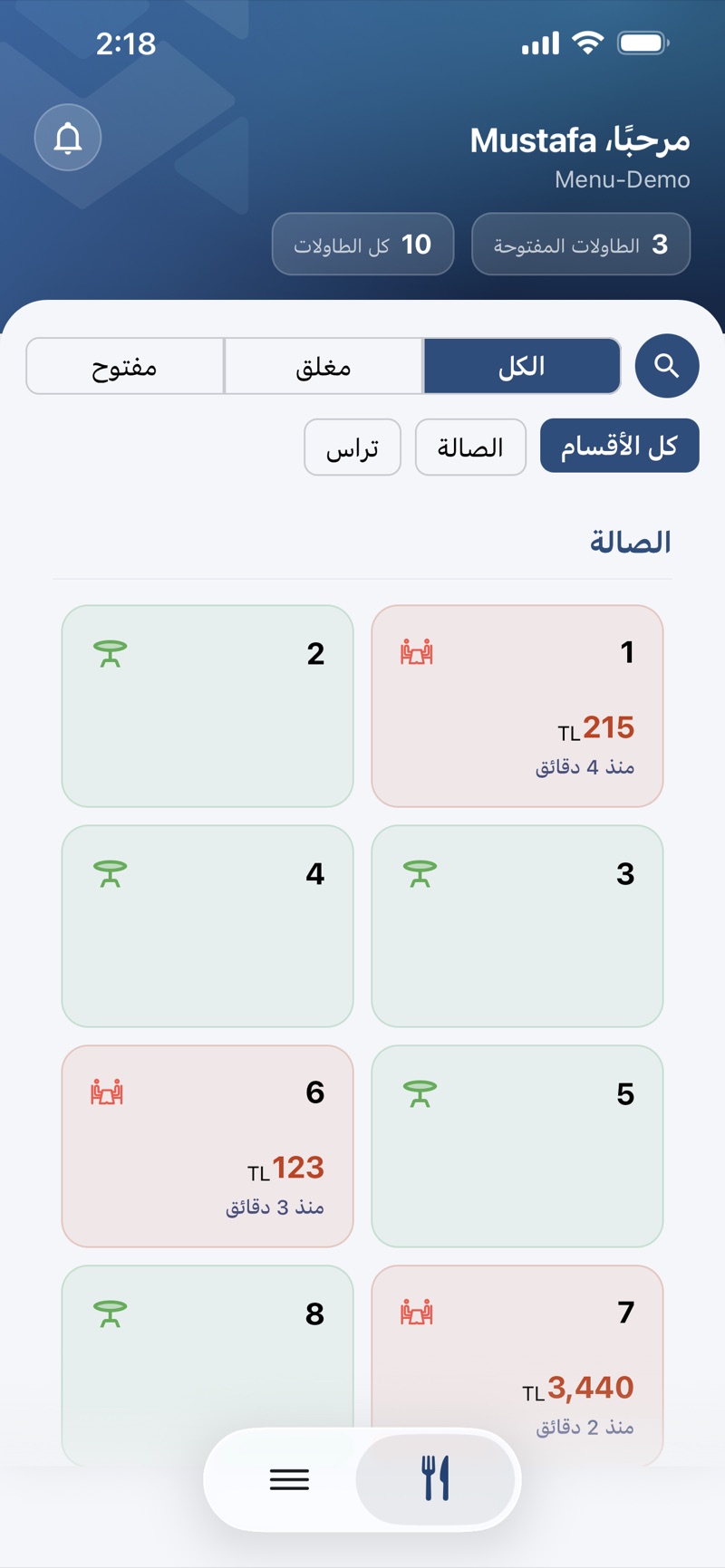
Open tables by section, available or busy at a glance — with how long each has been open and what it has run up so far.
- Open and total table counts up top
- Filter by all, open or closed
- Sections like Hall & Terrace
- Time open and running total per table
Take the order at the table
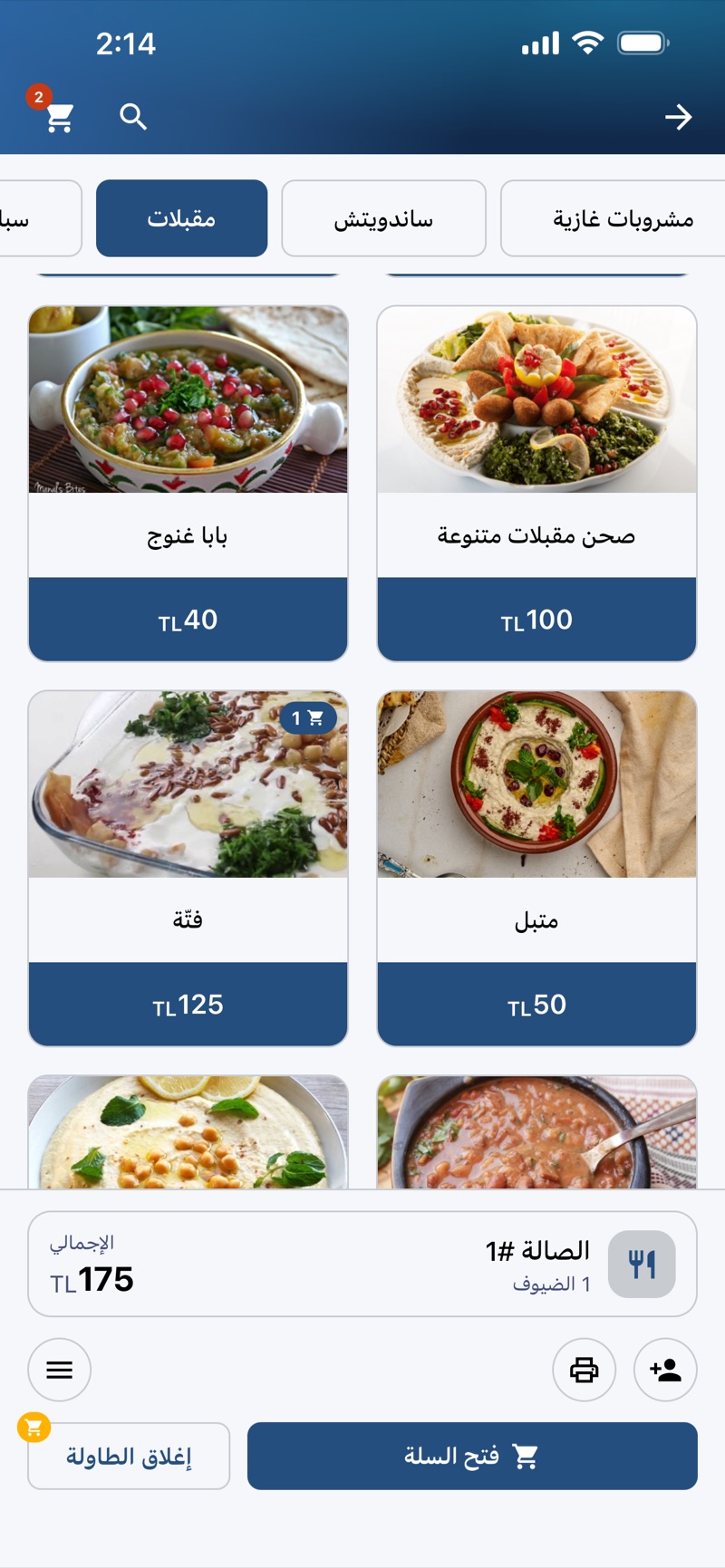
Browse the menu with the guests, tap items onto the round, and keep the running total in view the whole time.
- Category tabs and a photo menu
- Items, modifiers and note presets
- Table, guests and running total always visible
- Print the bill or close the table from here
Straight to the kitchen
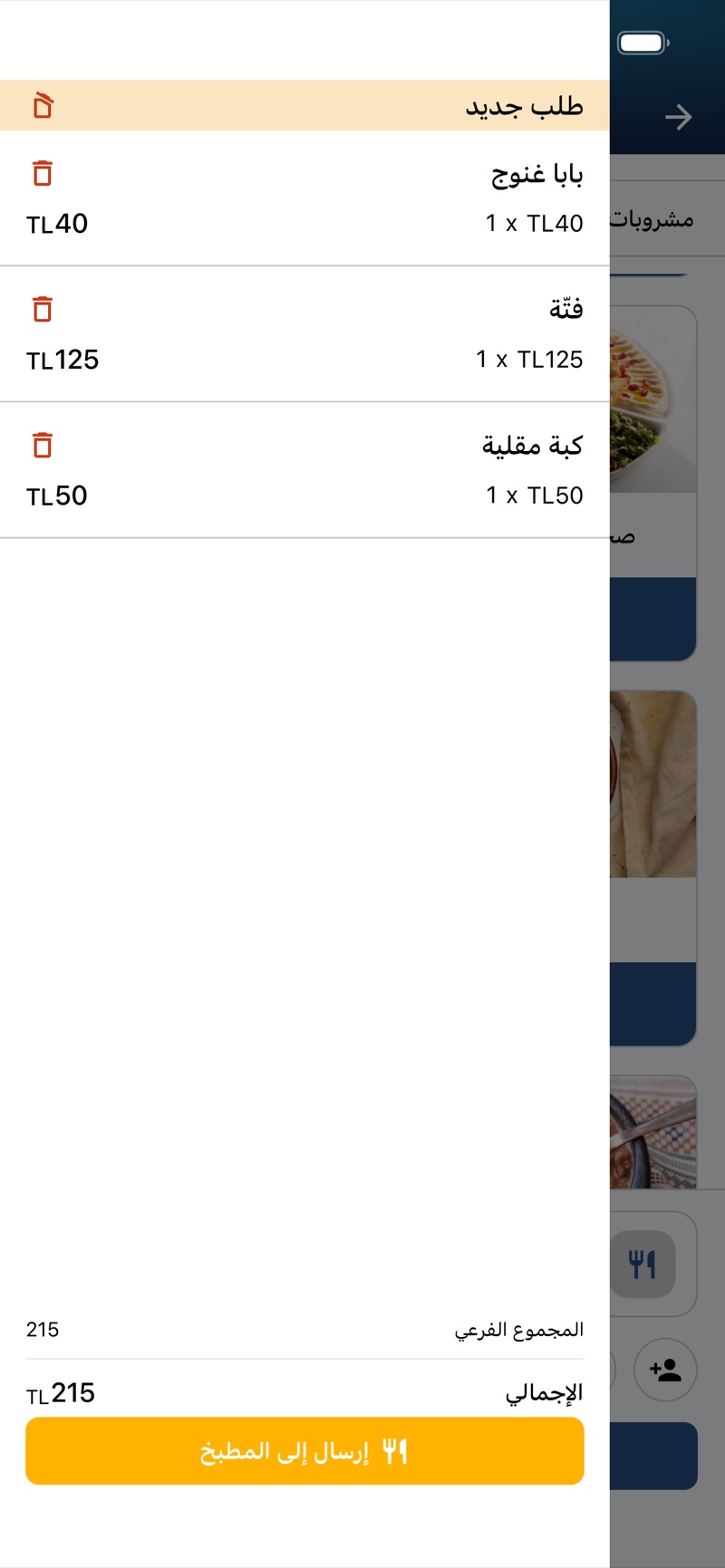
The round, priced and sent straight to the kitchen — no walk to the till, no double entry, nothing lost in handwriting.
- Review the round line by line
- Remove an item before it goes
- Subtotal and total before sending
- One tap: “Send to kitchen”
Works closely with
Dine-in & Tables
CapabilityOpen a table, add rounds all night, split it, close it.
POS — Point of Sale
AppThe cashier terminal: take the order, take the money, close the day.
Kitchen Display (KDS)
Display screenThe screen that replaces the ticket rail.
Orders
CapabilityOne order record from the first tap to the final receipt, whichever channel it came from.
Menu & Catalog
CapabilityEverything you sell — in every language, at every branch, on every channel.
Everything works together
These aren’t separate apps you stitch together. They read the same menu, the same orders, the same customers and the same stock. Change a price once and it changes everywhere. An order started on the website is the same record the kitchen cooks, the driver delivers and the report counts.
Watch an order go from table to kitchen
In a free walkthrough we’ll send a real round from your floor to your kitchen — set up the way your service actually runs.
Free · No commitment · Arabic & English support