
POS — Point of Sale
Ring it up. Send it to the kitchen. Close the day — even when the internet doesn’t.
The cashier terminal: take the order, take the money, close the day.
What it does
- Take dine-in, pickup and delivery orders
- Split, partial and quick payments
- Discounts and complimentary orders — recorded
- Send and reprint tickets to the kitchen
- Day-close balance with a printed summary
- Keeps selling offline, syncs when back
Why it matters
One terminal that sells, prints, takes payment and reconciles — and doesn’t stop when the line drops at 8pm on a Thursday.
See the POS in action
A short walkthrough of taking an order, sending it to the kitchen and closing the bill.
How it works
The workflow is the product. Here’s the path an order takes.
A sale, from tap to receipt
The everyday flow your cashier runs hundreds of times a shift — one screen, no retyping.
- New order
- Items & modifiers
- Send to kitchen
- Payment
- Receipt
- Stock & sales updated
Every channel lands on one till
Counter, table, online and delivery orders meet in the same place and settle the same way.
- Counter · table · online · delivery
- POS
- Kitchen
- Payment & settlement
- Day close
What it does on the counter
Real screens from the app — the same terminal your team uses every shift.
The whole floor, at a glance
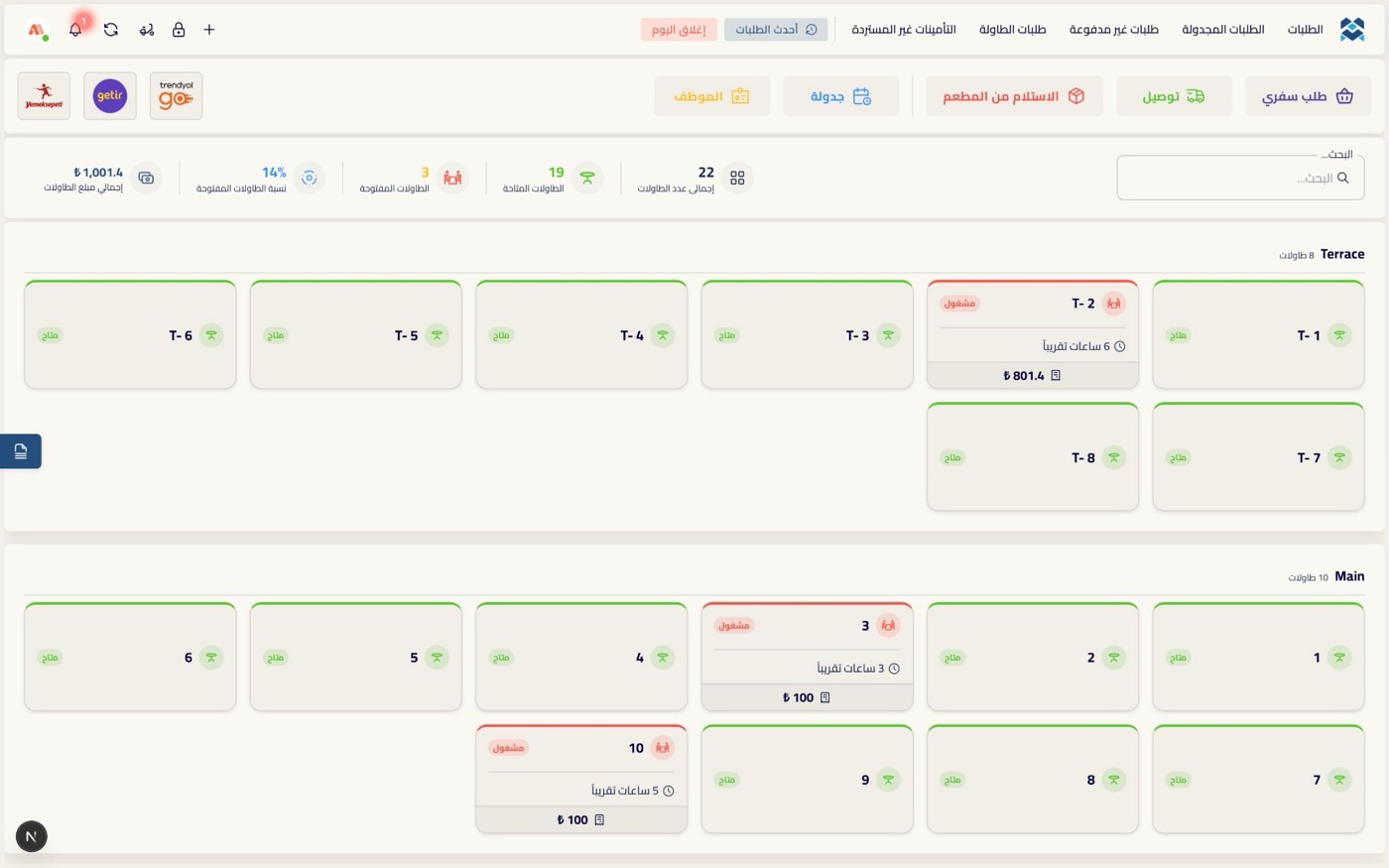
Every table in every section — its state, how long it has been open, and its running total. Tap to open, move or settle.
- Sections like Terrace & Main
- Available / busy at a glance
- Time open and running total per table
- Takeaway, delivery, pickup & scheduled from one bar
Ring up an order in seconds
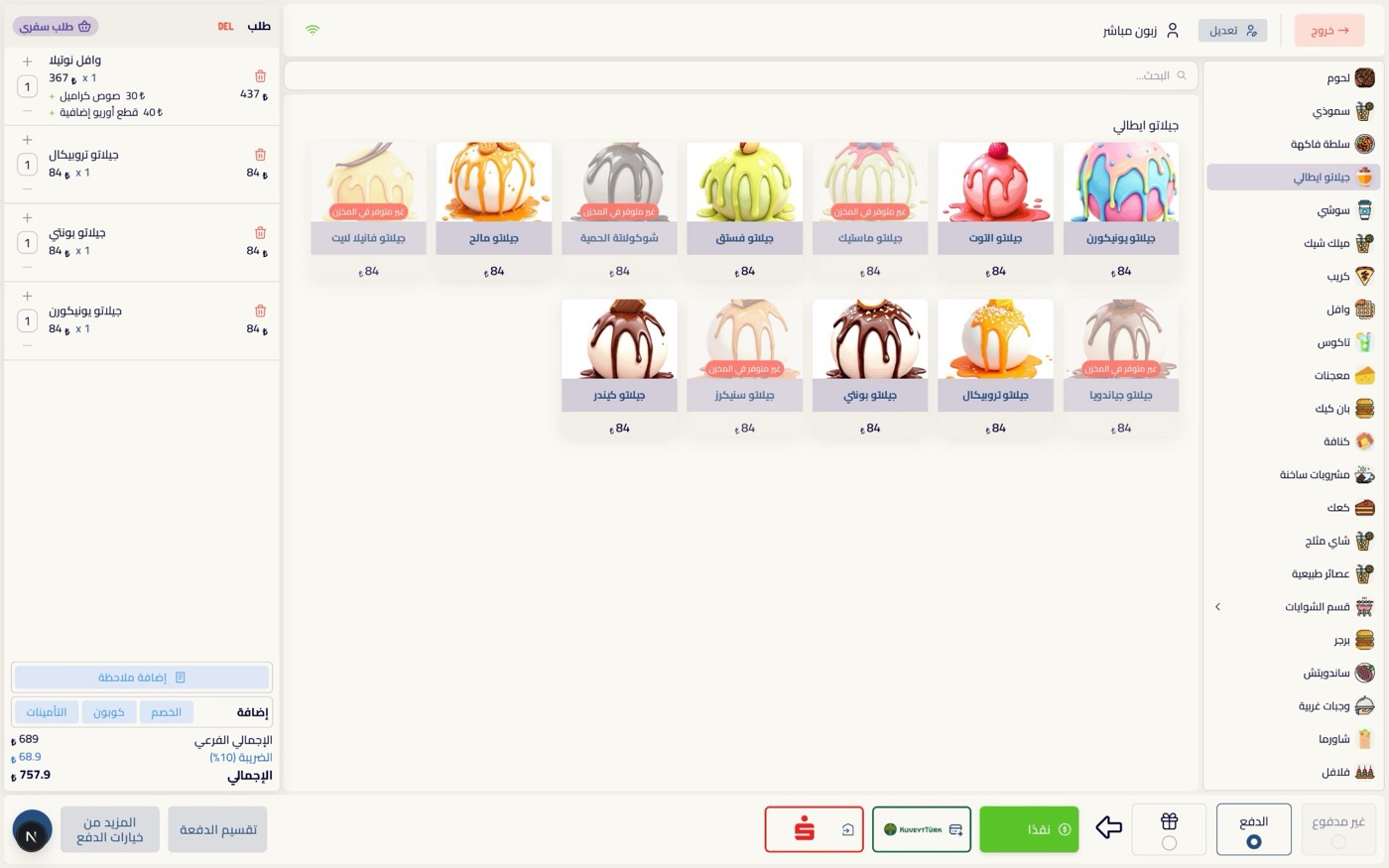
Browse categories, tap items, and watch the bill build live — subtotal, tax and total always in view.
- Category & item grid with photos
- Live cart with modifiers & quantities
- Subtotal, tax and total always visible
- Add a note to any order
Offers, extras and straight to the kitchen
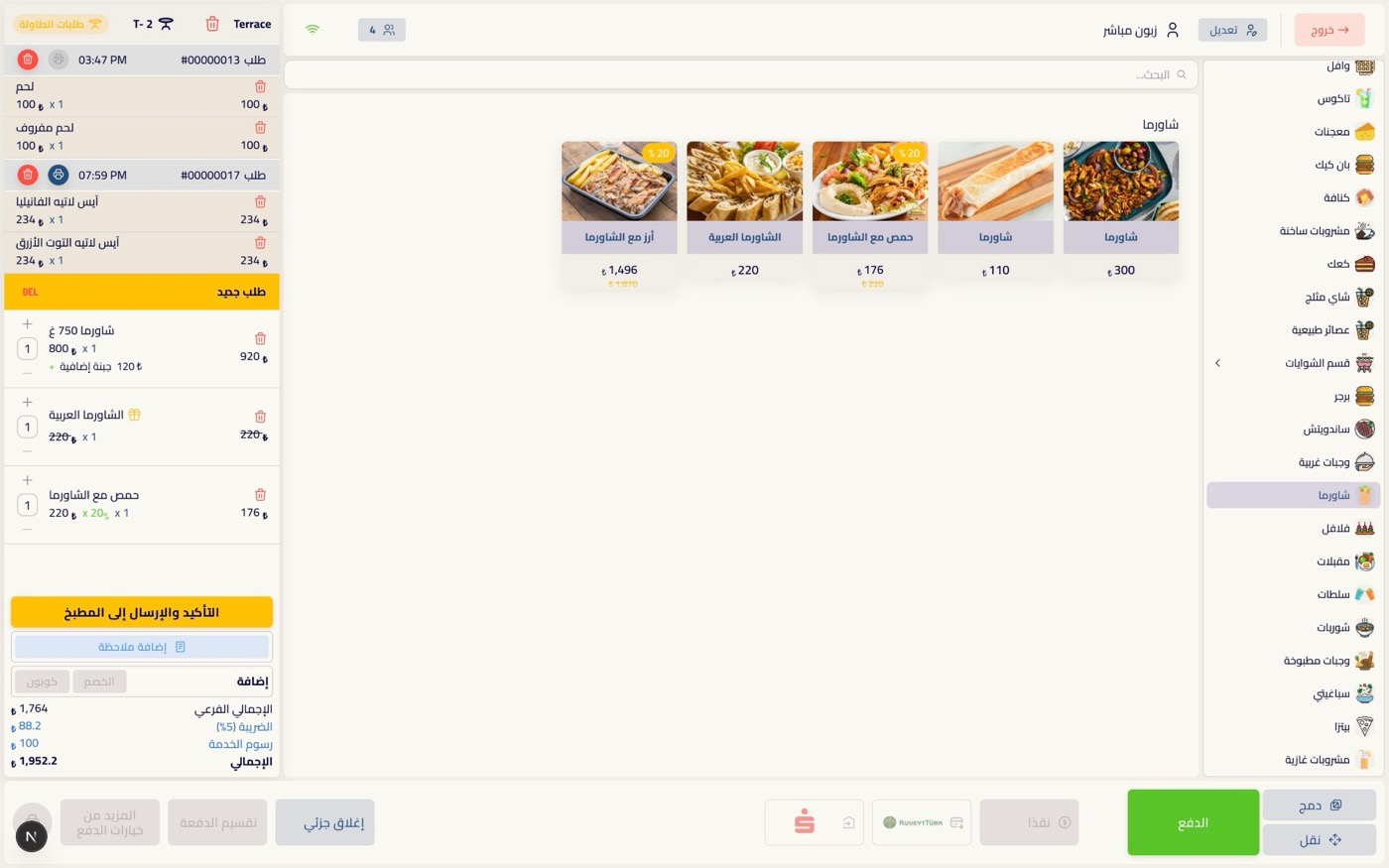
Apply an offer or a gift, add extras, give a discount — then confirm and fire the order to the kitchen. Every change is priced and logged.
- Percentage offers and gift lines
- Per-item extras (e.g. extra cheese)
- Discounts, coupons and deposits
- “Confirm & send to kitchen” — each a timestamped ticket
Split it any way the guests want
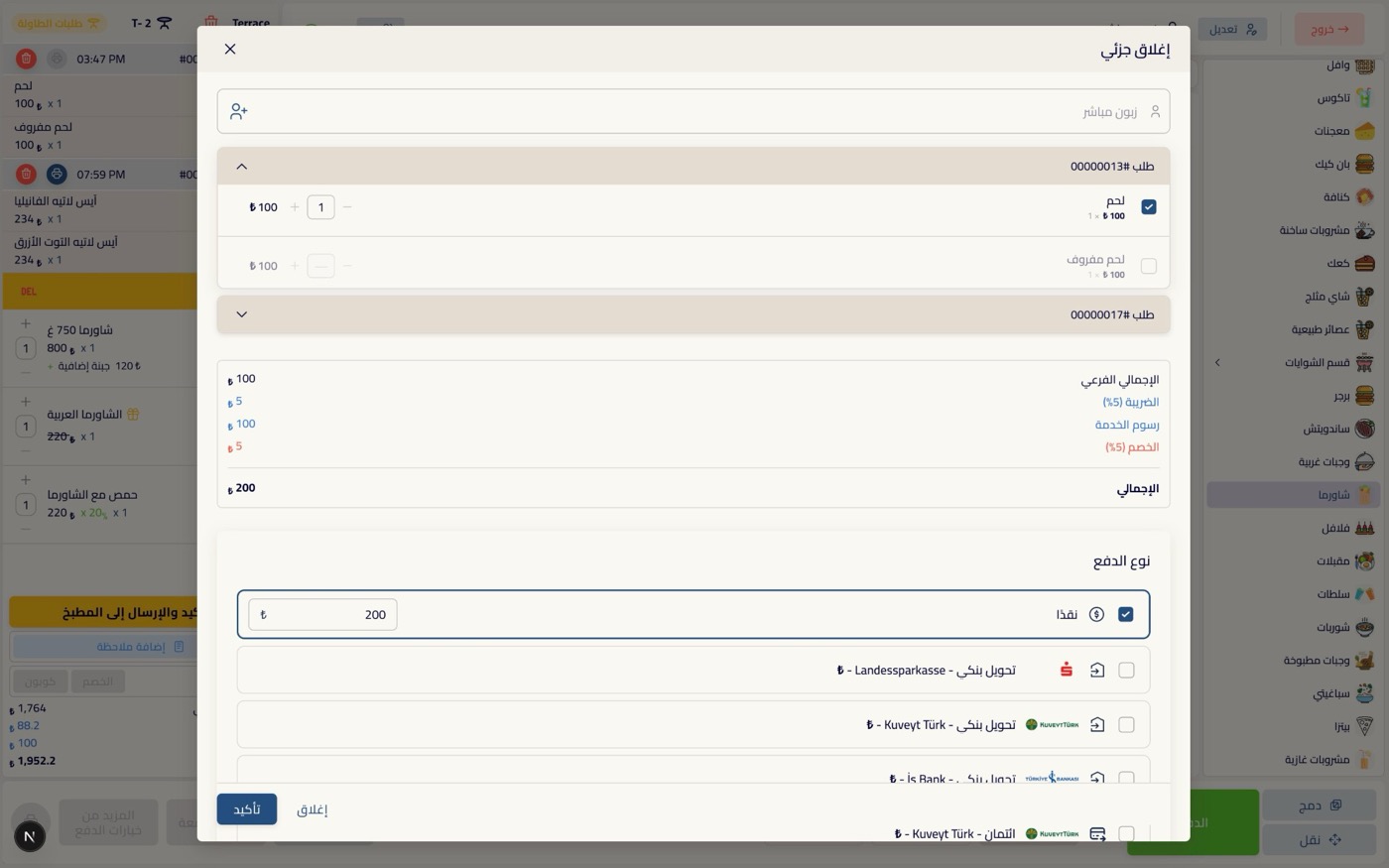
Close part of a bill, pick exactly which items or how much, and take payment across cash, card, bank transfer or prepaid — even within one order.
- Partial & split close by item or amount
- Cash, bank transfer, credit card, prepaid
- Multiple banks supported
- Service charge and tax handled
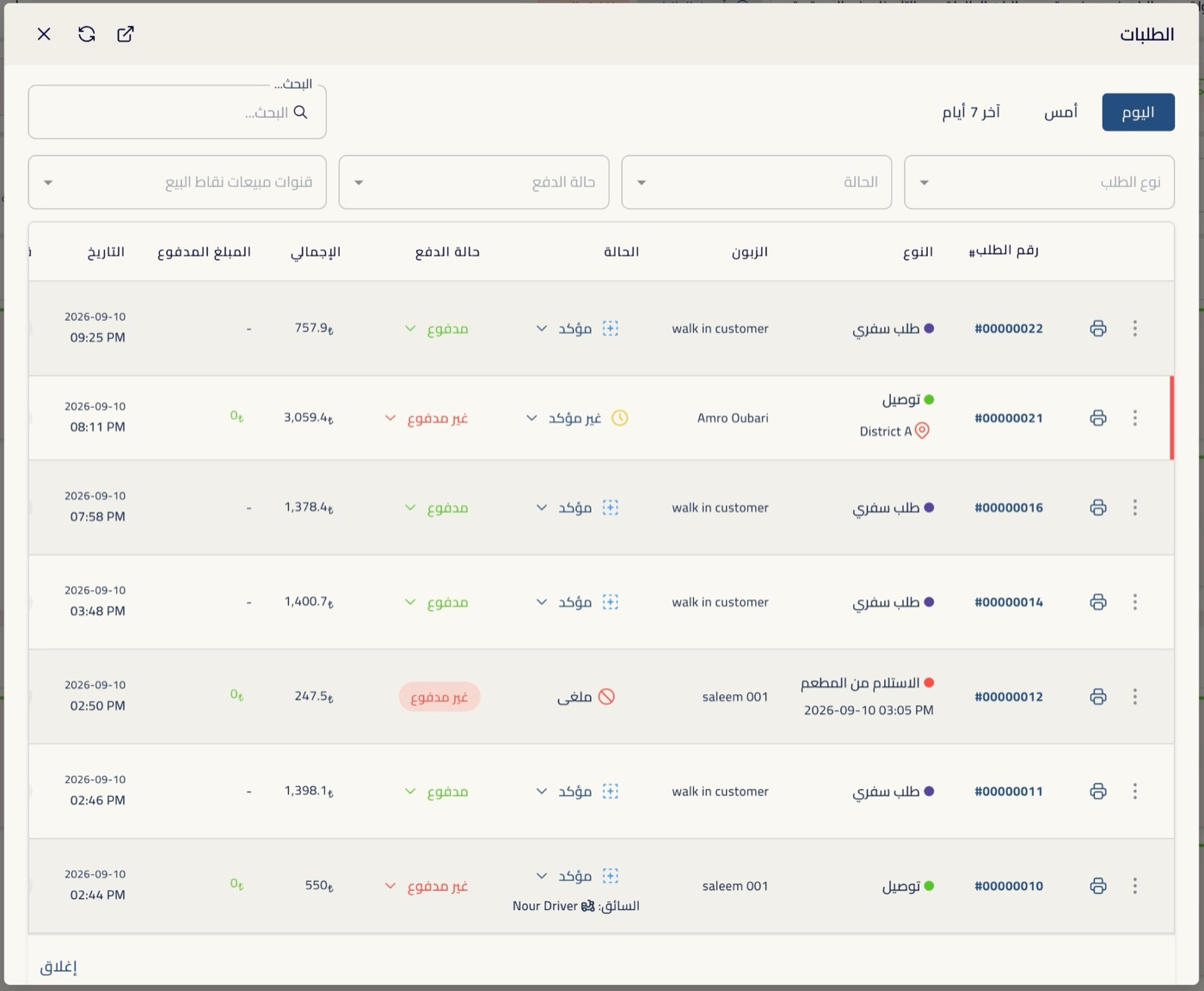
Every order, searchable
Search today or the last days and filter by status, type and payment — takeaway, delivery, pickup — with paid / unpaid and print at a glance.
- Today, yesterday, last 7 days
- Filter by status, type & payment
- Confirmed, unconfirmed, cancelled
- Paid / unpaid and one-tap print
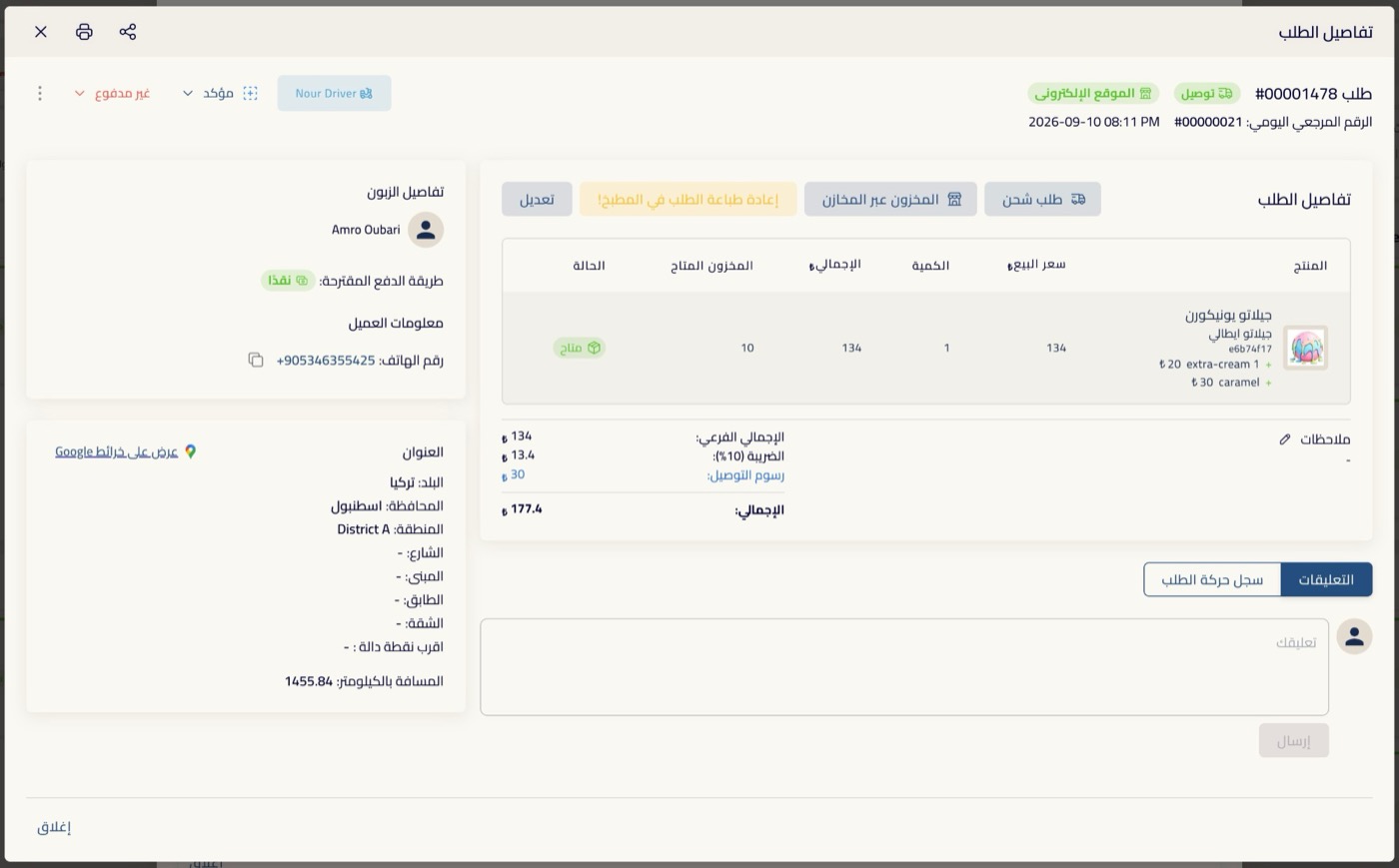
Open any order — the full story
Items, customer, address on the map, assigned driver, stock availability and a full activity log — reprint to the kitchen or edit, all from one place.
- Customer, phone, address & map
- Assigned driver and payment method
- Stock availability per item
- Comments and full activity log
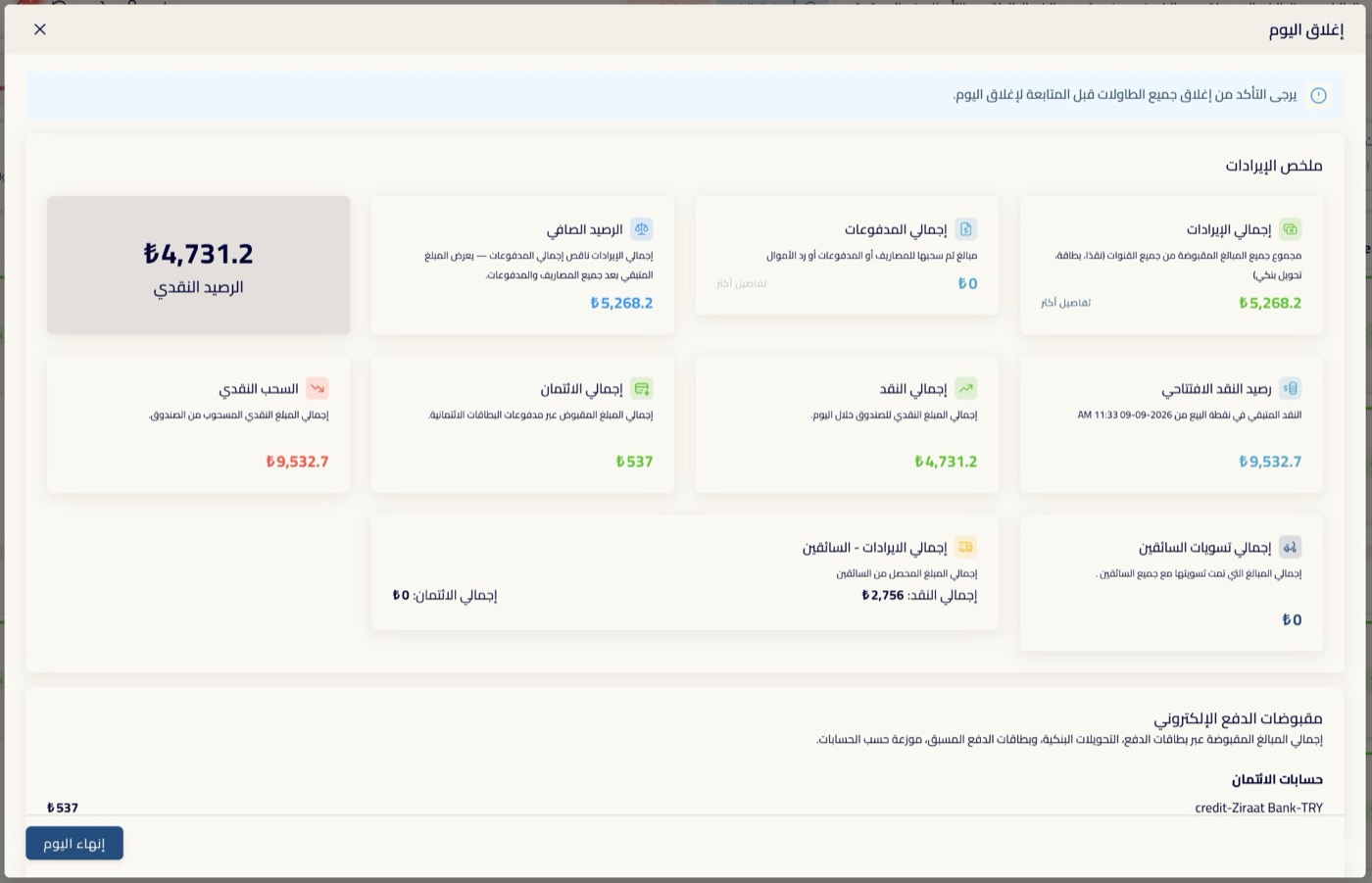
Close the day with real numbers
One screen reconciles the shift: opening and closing cash, revenue by channel, sales by category and product, discounts, taxes, service fees, and every incomplete order.
- Net balance, cash & credit totals
- Opening vs closing cash
- Sales by category and by product
- Cancelled, failed, refunded & deleted, itemised
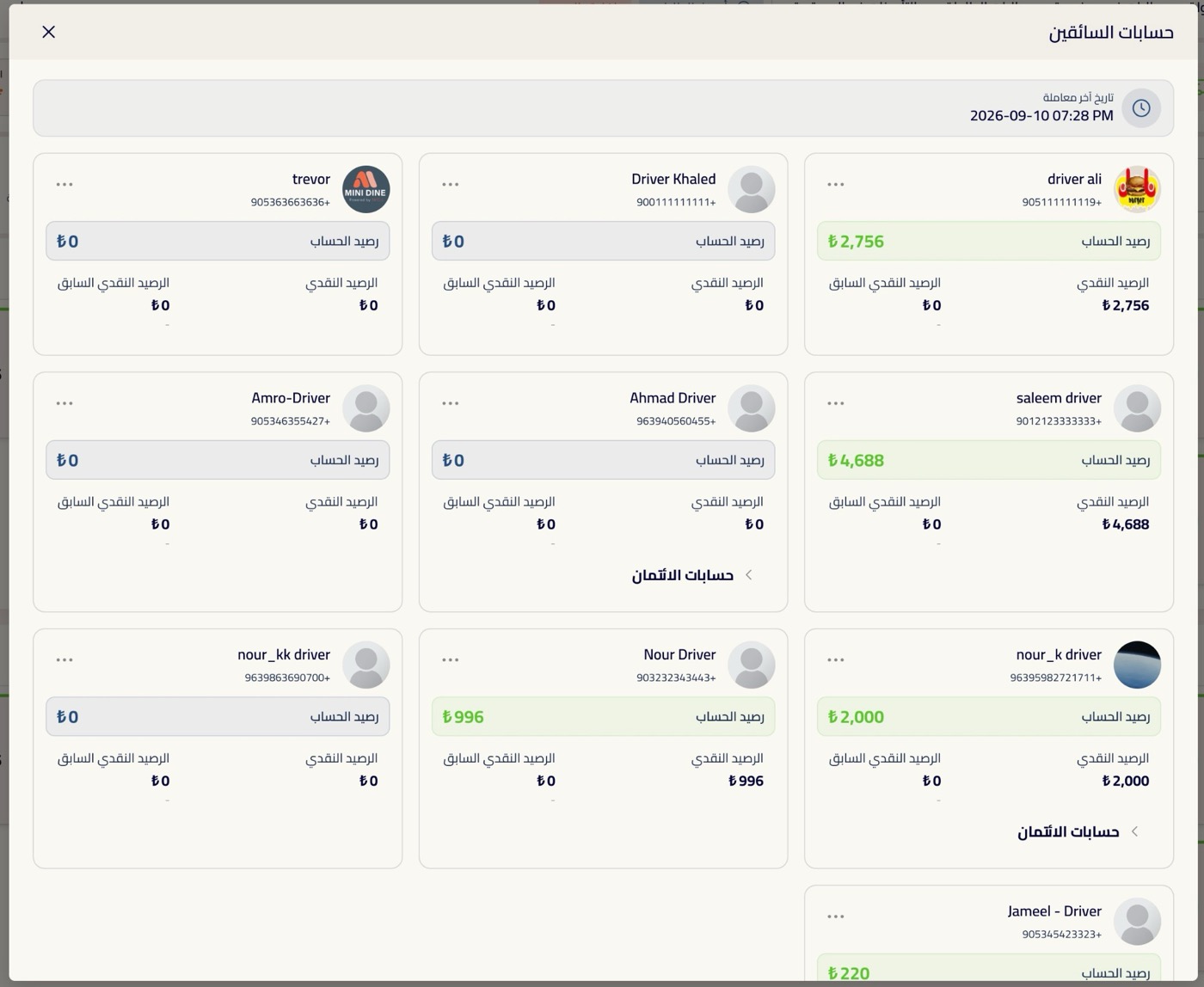
Drivers, cash and expenses — settled here
See what each driver is holding and settle in one step, record an expense against a supplier, and pay it from the right account — all from the till.
- Per-driver balance & one-step settlement
- Add an expense with a type & supplier
- Pay from cash or any bank account
- Cash out to owner
And it never stops when the internet does
The till keeps selling offline and reconciles the moment the connection returns — the line never stops at 8pm on a Thursday.
Works closely with
Orders
One order record from the first tap to the final receipt, whichever channel it came from.
Dine-in & Tables
Open a table, add rounds all night, split it, close it.
Inventory / Stock
Track what you hold, what you used and what moved between branches.
Kitchen Display (KDS)
The screen that replaces the ticket rail.
Printout Service
A quiet device that listens for orders and turns them into printed tickets.
Accounting & Cash
Every amount in and out, tied to the order, contact or branch that moved it.
Everything works together
These aren’t separate apps you stitch together. They read the same menu, the same orders, the same customers and the same stock. Change a price once and it changes everywhere. An order started on the website is the same record the kitchen cooks, the driver delivers and the report counts.
See your own menu running on it
In a free walkthrough we’ll load it with your dishes, prices and branches — set up the way your restaurant actually runs.
Free · No commitment · Arabic & English support