
Kitchen Display (KDS)
No paper. No shouting. Nothing forgotten under the pass.
A screen that replaces the ticket rail — every station sees exactly its own items, in order, with a status the whole floor can see.
What it does
- See a live board of orders per station
- Mark each item preparing then prepared
- Route categories to the right kitchen section
- Take orders from every channel at once
- Assign a driver from the board
- Print automatically, or only the changes
Why it matters
Every station sees exactly its own items, in order, with a status the whole floor can see — so nobody asks “which order is late?”.
How it works
The workflow is the product. Here’s the path an order takes.
Every channel, routed to the right station
Orders from the till, the waiter, the kiosk and online all land here.
- Order arrives
- Routed by category
- On the station board
- Preparing → prepared
- Order ready
- Pass / notify
What it does at the pass
Real screens from the app — the same board your kitchen works from every shift.
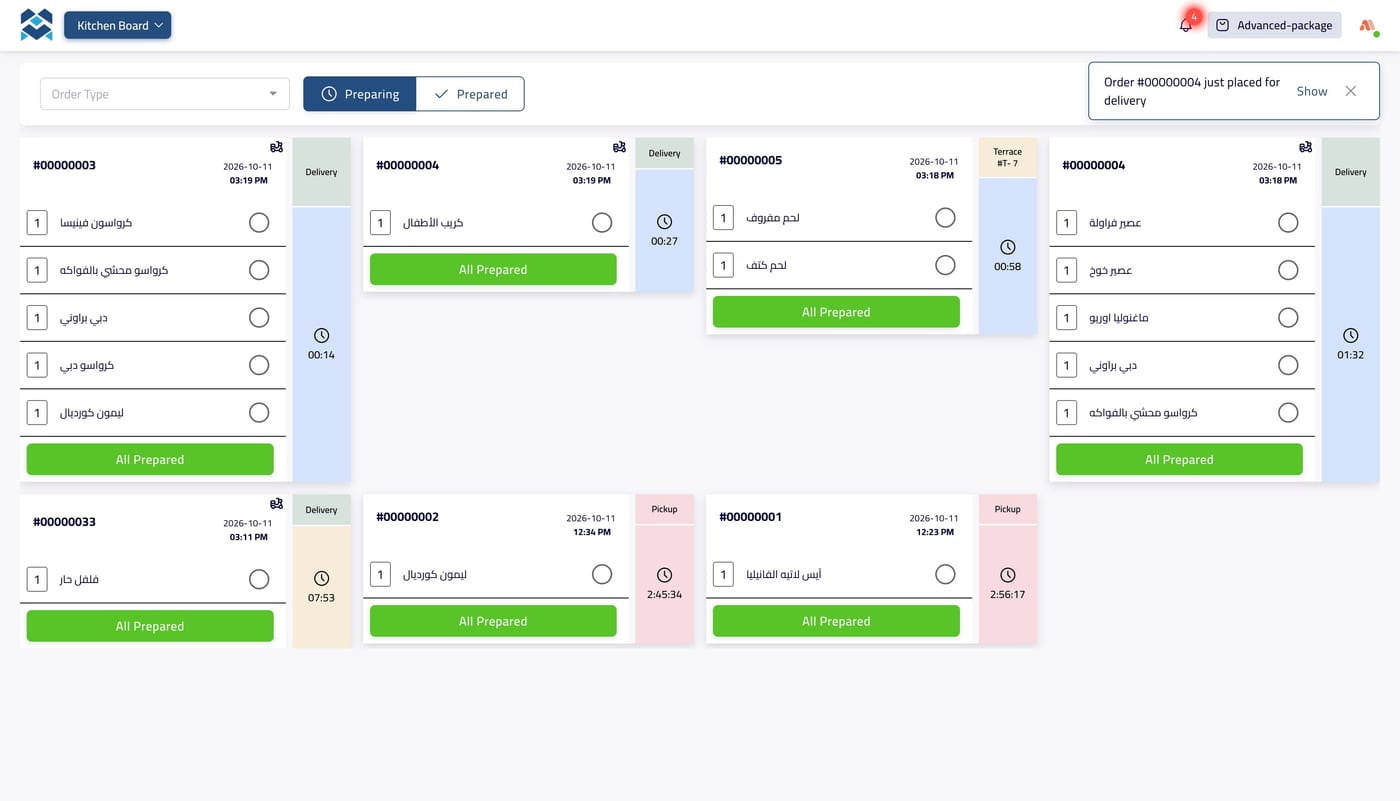
The whole board, live
Every open order across the station, as a ticket with its items, its order type and a running timer — new orders announce themselves as they land.
- One ticket per order, newest alerts on top
- Switch between Preparing and Prepared
- Filter the board by order type
- A timer on every ticket
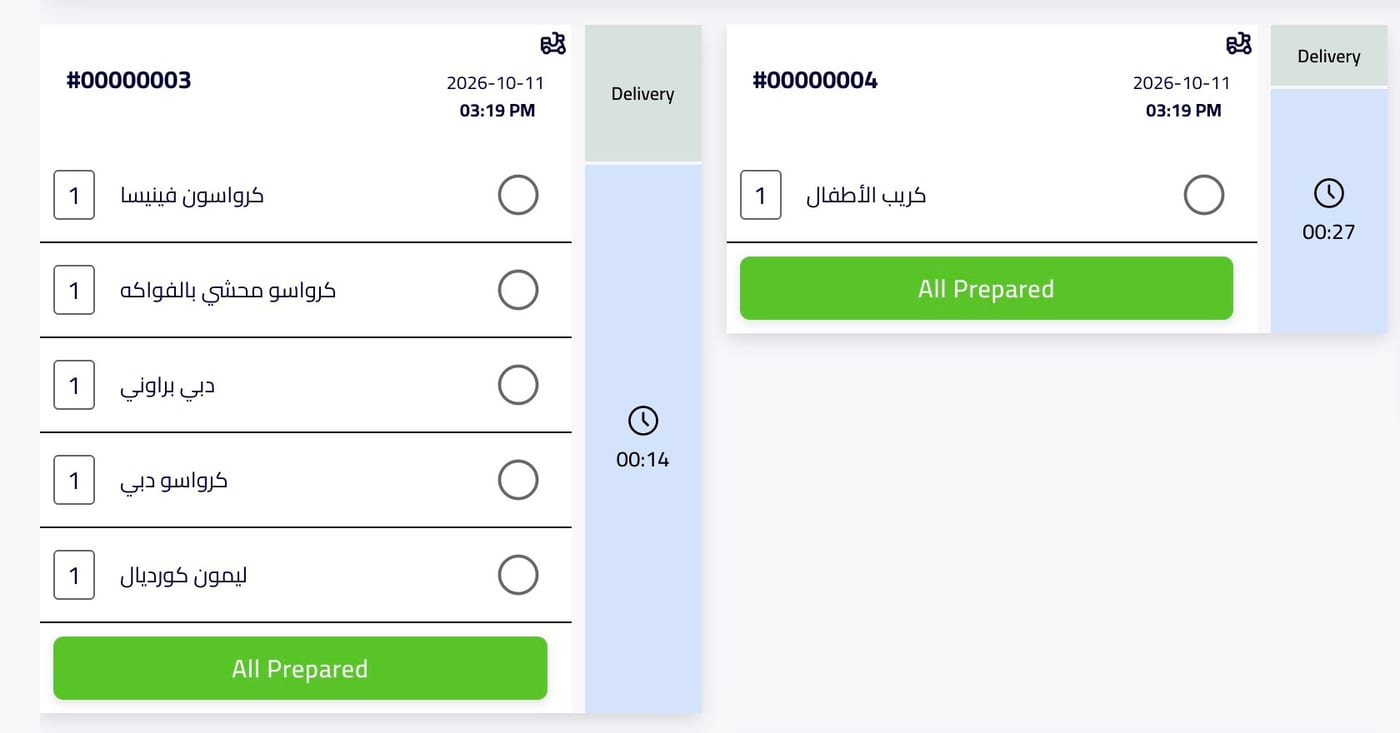
Tick it off, item by item
Mark each item as it comes off the line, then close the whole ticket with one tap — the floor sees it the moment it is ready.
- A checkbox on every item
- Quantities in plain view
- One tap: “All Prepared”
- Order number, date and time on each ticket
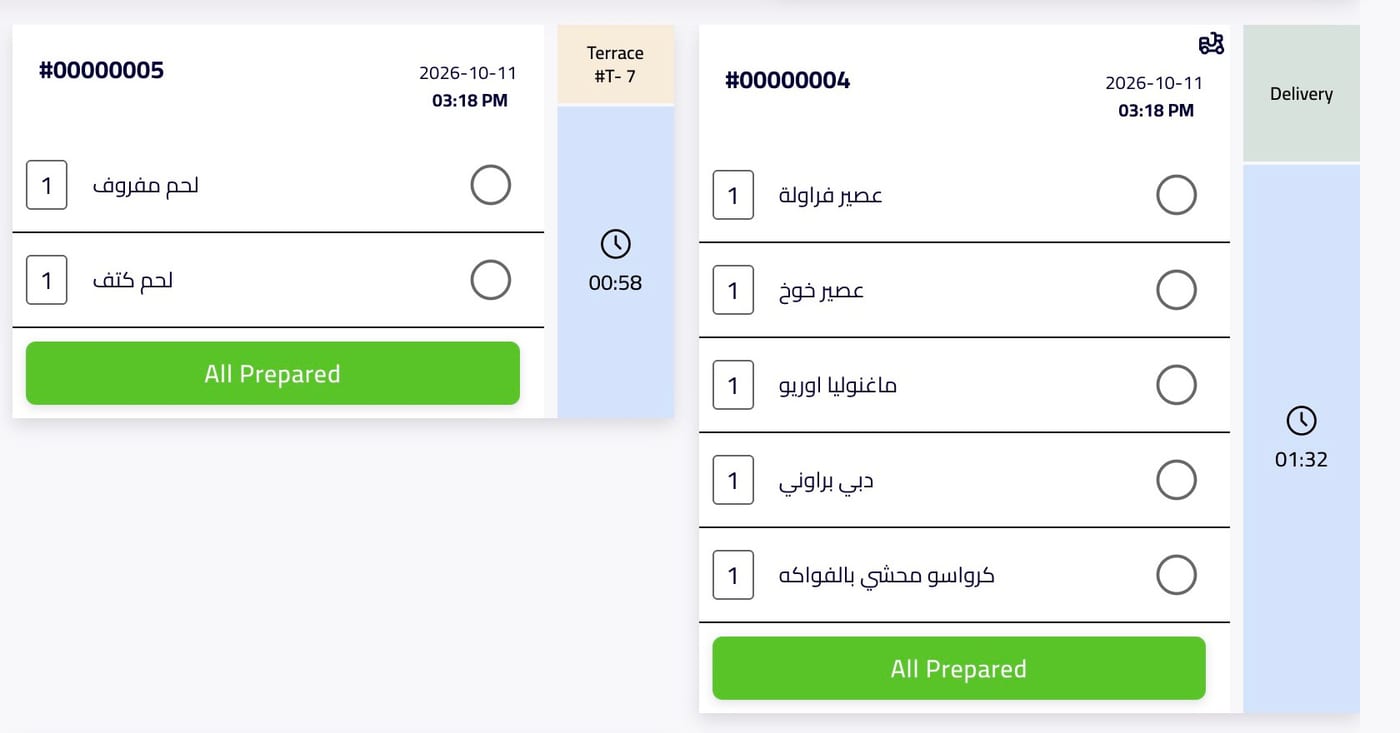
Every channel, one board
Dine-in, delivery and pickup tickets sit side by side, each tagged with where it came from and how long it has been waiting.
- Dine-in tickets show the section and table
- Delivery and pickup tagged on the ticket
- Waiting time per ticket
- Fed by the till, the waiter app, the kiosk and online
Works closely with
POS — Point of Sale
The cashier terminal: take the order, take the money, close the day.
Waiter App
Handheld ordering at the table that goes straight to the kitchen.
Self-Order Kiosk
A screen where the customer orders and pays without queueing.
Orders
One order record from the first tap to the final receipt, whichever channel it came from.
Printout Service
A quiet device that listens for orders and turns them into printed tickets.
Everything works together
These aren’t separate apps you stitch together. They read the same menu, the same orders, the same customers and the same stock. Change a price once and it changes everywhere. An order started on the website is the same record the kitchen cooks, the driver delivers and the report counts.
Watch a ticket go from order to pass
In a free walkthrough we’ll send real orders to your stations and mark them ready — set up the way your kitchen actually runs.
Free · No commitment · Arabic & English support