
Driver App
Assign it. Deliver it. Settle it. No arguments at the end of the shift.
The delivery run, from assignment to settlement.
What it does
- See assigned orders and take available ones
- Move orders through the delivery states
- Record cash or card collected per order
- Track a live balance and trips
- Settle in one step at the end of the shift
- See delivery details, address and customer
Why it matters
Every delivery and every lira the driver is holding, counted automatically and settled in one step — not reconstructed from a stack of receipts at midnight.
How it works
The workflow is the product. Here’s the path a delivery takes.
From assignment to settlement
The run and the cash, tracked the whole way.
- Order assigned
- Pickup
- Deliver
- Collect cash / card
- Balance grows
- Settle at shift end
What it does on the road
Real screens from the app — the same phone your drivers carry every shift.
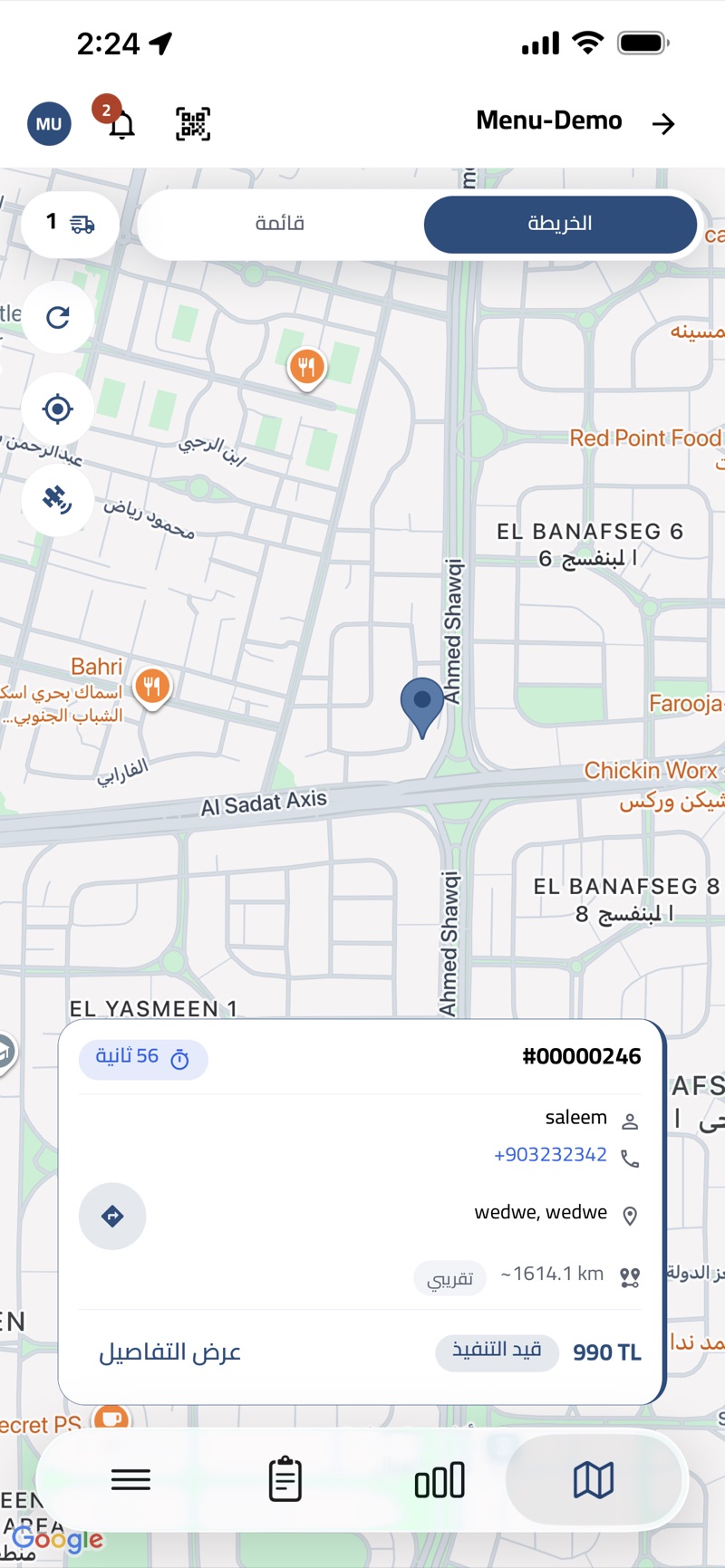
Every run, in one list
The deliveries assigned to the driver — customer, phone, address, distance and amount on one card, split by in progress, completed and failed.
- In progress, completed and failed tabs
- Customer name and one-tap call
- Address with approximate distance
- Amount and payment method per order
Navigate with the order in hand
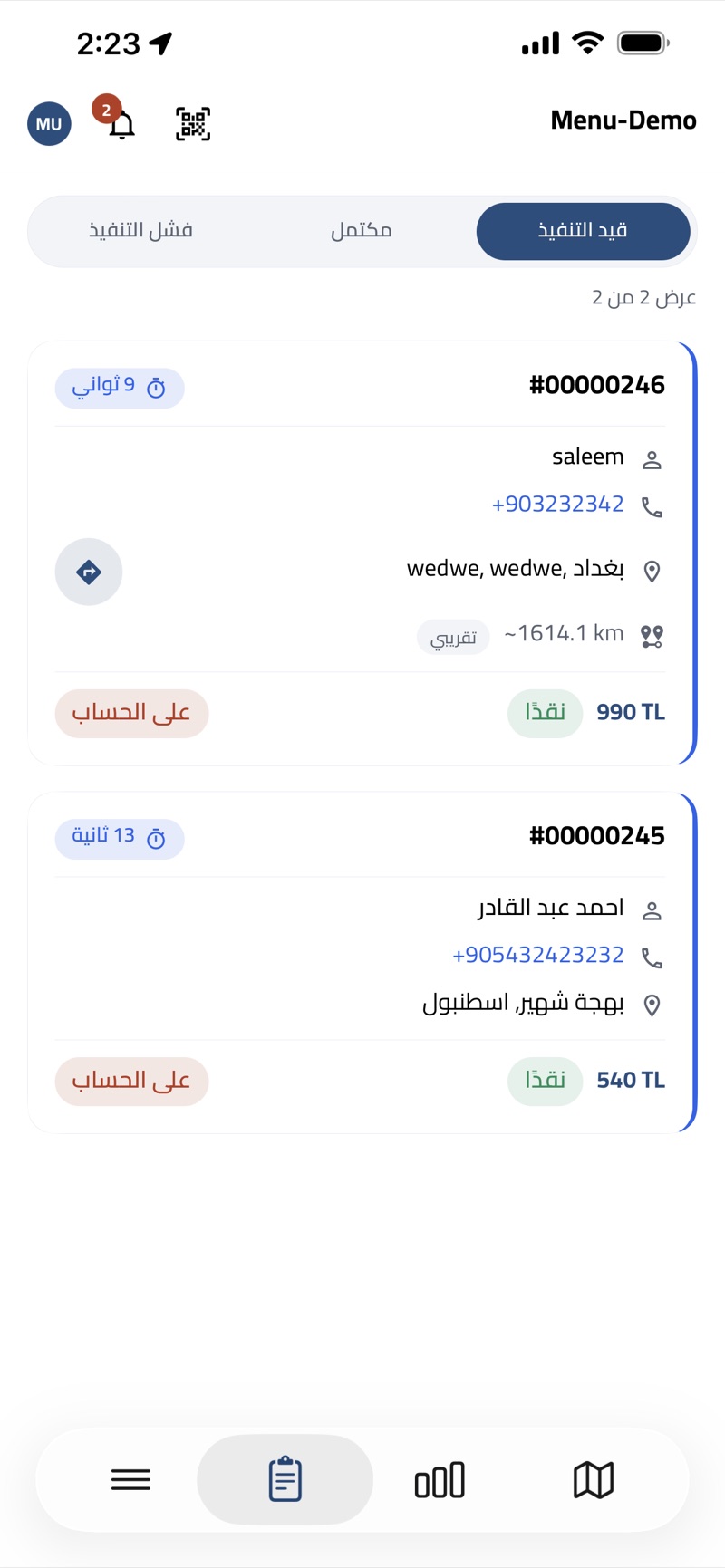
Switch to the map to see where each drop is, then open directions to the customer without leaving the order.
- Map and list views of active runs
- One-tap directions to the customer
- Order number, customer and amount on the map card
- Time since the order was assigned
Balance and settlement
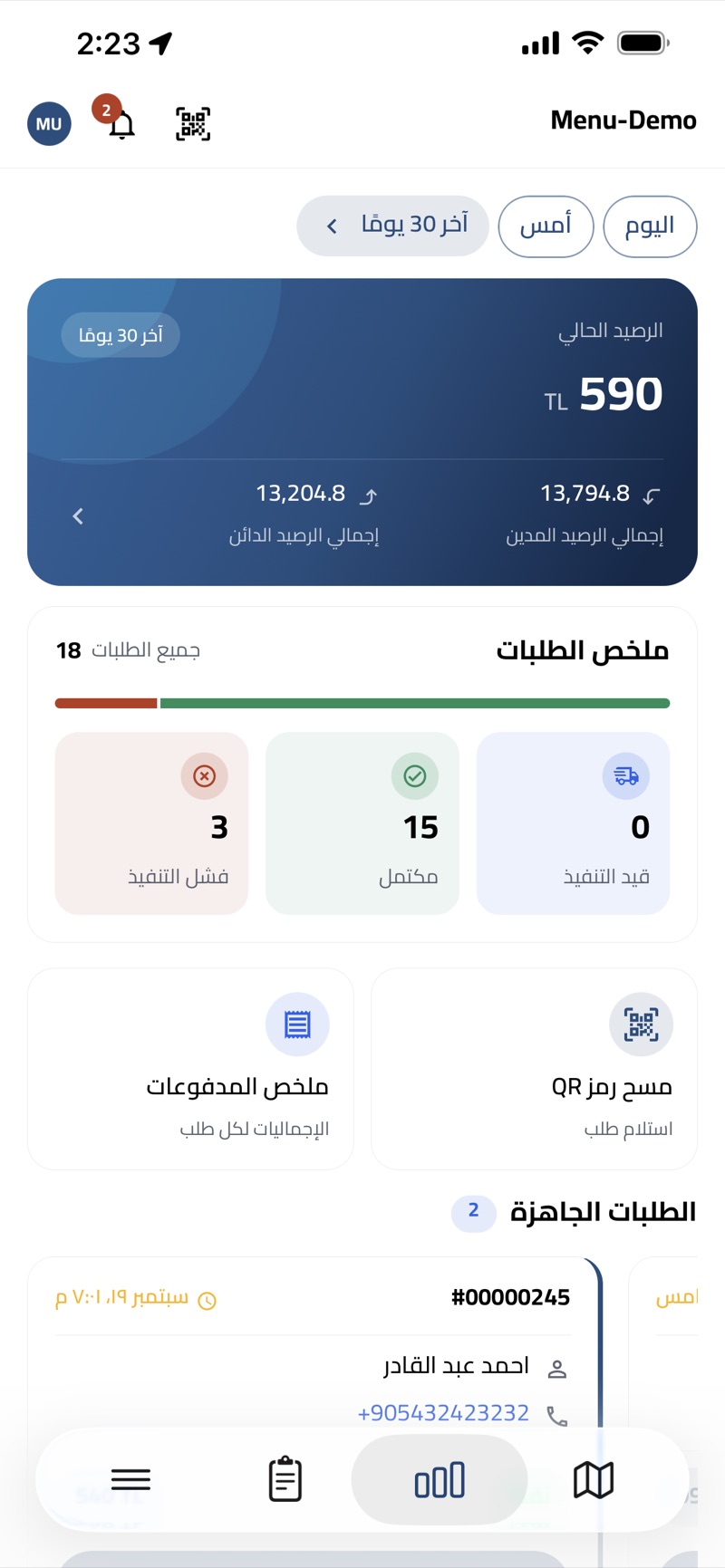
The running balance and the day’s order summary — what was delivered, what failed and what the driver owes — settled in one step at the end of the shift.
- Current balance with total debit and credit
- Today, yesterday or the last 30 days
- In progress, completed and failed counts
- Payment summary and QR order pickup
Works closely with
Delivery & Dispatch
CapabilityZones, fees, drivers, and exactly what each driver owes you at the end of the shift.
Orders
CapabilityOne order record from the first tap to the final receipt, whichever channel it came from.
Accounting & Cash
CapabilityEvery amount in and out, tied to the order, contact or branch that moved it.
Operation App — Order Desk
AppThe order desk that runs delivery and phone orders across every branch.
Reports & Analytics
CapabilityAround sixty reports across sales, money, stock, staff and delivery — nearly all exportable.
Everything works together
These aren’t separate apps you stitch together. They read the same menu, the same orders, the same customers and the same stock. Change a price once and it changes everywhere. An order started on the website is the same record the kitchen cooks, the driver delivers and the report counts.
See a shift close without an argument
In a free walkthrough we’ll run a delivery from assignment to cash-up — set up the way your drivers actually work.
Free · No commitment · Arabic & English support